The dashboard
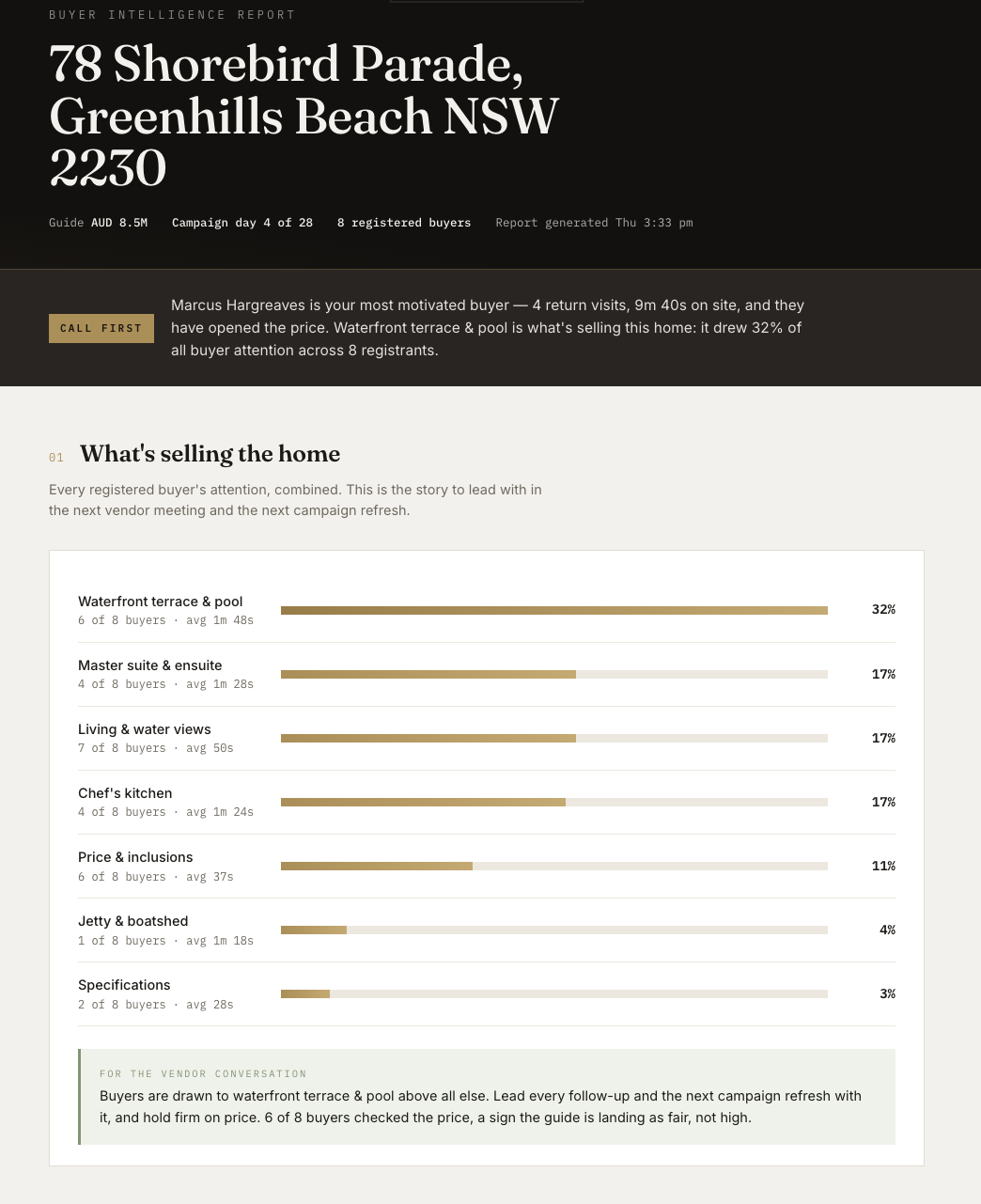
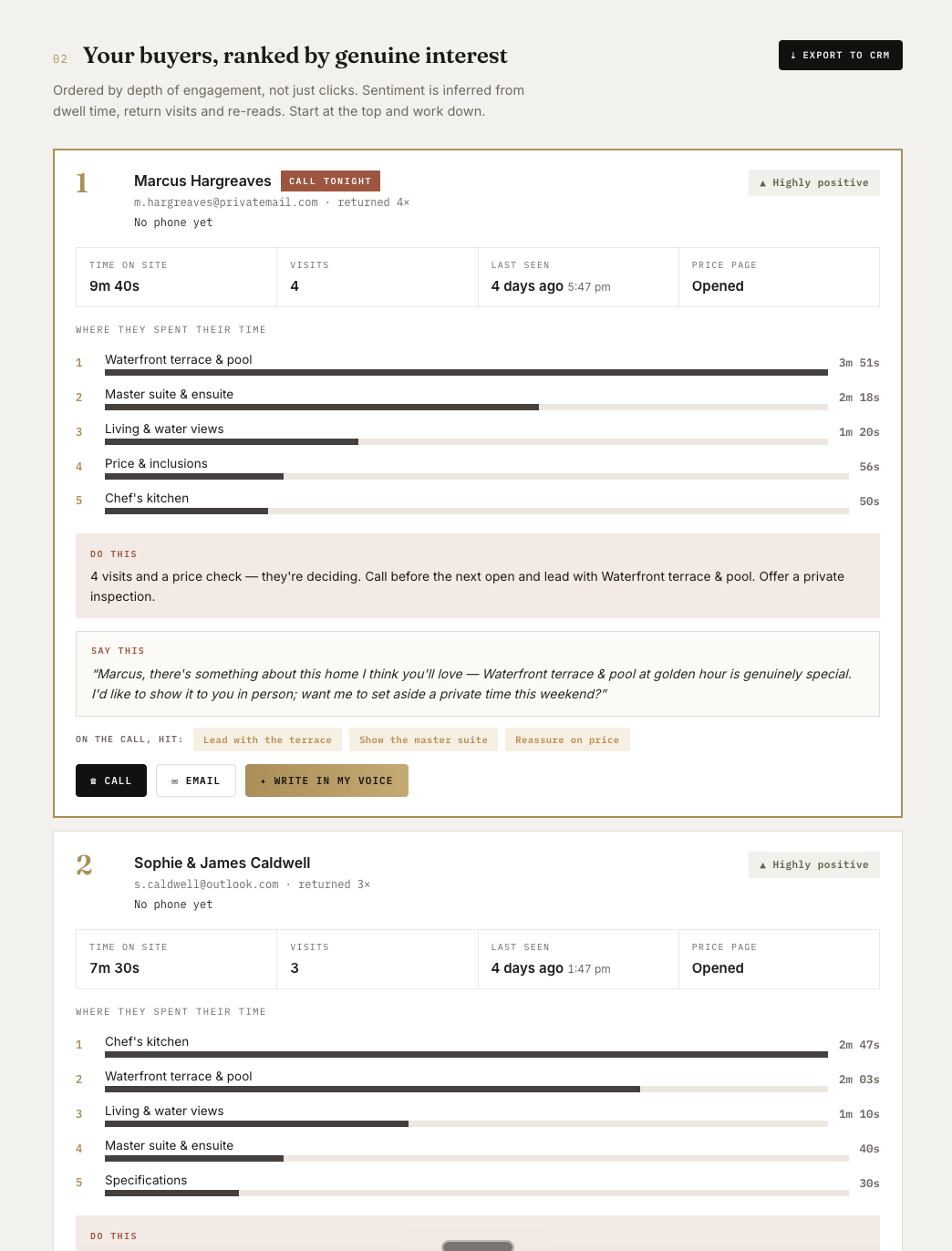
See the full dashboard view in the screenshots at the bottom of this page.
vantag.co/dashboard/[listing ID]
Your command centre for each listing. This is where buyer intelligence lives (ranked buyers, call scripts, engagement data) and where you manage who has access to the listing. Buyer intelligence and buyer management, all in one place.
What you can do here
- See buyers ordered by genuine interest, ranked by the Vantag Engagement Scoring Model, not by who said they were keen.
- Know who to call first, the most engaged buyer is always at the top of the list.
- See what each buyer cared about most, the parts of the home that drew their interest.
- Access a call script and talking points per buyer, personalised to what they actually engaged with.
- Understand what is selling the property, a demand summary you can use in your conversation with the vendor about price and campaign strategy.
- Export to your customer relationship management (CRM) platform, download all buyer data as a comma-separated values (CSV) file, ready to load into your CRM in one click.
Invite buyers
A floating Invite buyers button sits in the bottom-right corner of the screen. Click it to open the invite panel, where you can:
- Add buyers one by one with their name, email and phone number.
- Import a list of buyers from a CSV file in one go.
- Export all buyer links as a CSV file for your CRM.
- Search across your buyer list.
- Expand any buyer's card to review their unique link, suggested email and engagement summary.
Buyer invitations used to be managed from the listing view. They now live here on the dashboard, so all buyer management and buyer intelligence are in one place.
For step-by-step instructions, see Invite buyers.
Edit the listing
A floating Edit content button also sits on the dashboard and takes you directly to the content editor for that listing.
For full details on the content editor, see Create and edit a listing.