Agent admin
vantag.co/admin
Your home base. Every listing you manage lives here, alongside all the tools to publish, invite buyers, review results and update your brand.
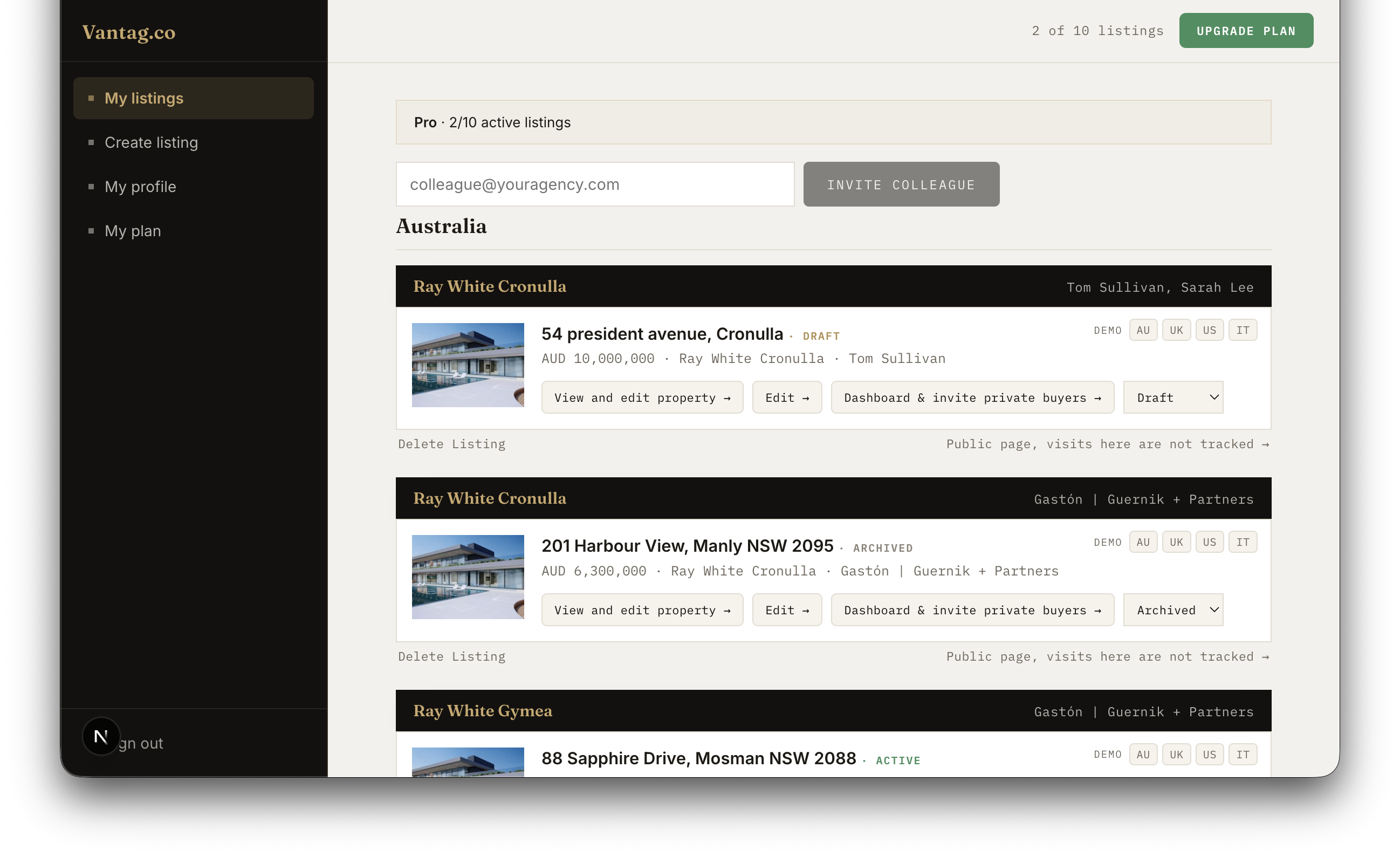
Left sidebar
The sidebar is always visible. Four items:
- My listings, your main workspace. See all your properties at a glance, open any listing to invite buyers, edit its content, or access the buyer dashboard.
- My profile, your account settings. Brand details such as agency name, logo and contact information are configured during the initial onboarding at
vantag.co/onboarding. - My plan, see your current plan and how many of your listing slots are in use. Add capacity from here when you need more active listings.
- Sign out, ends your session.
At the top of the page a usage counter shows how many active listings you are running against your plan total, for example "2 of 3 listings".
Listing cards
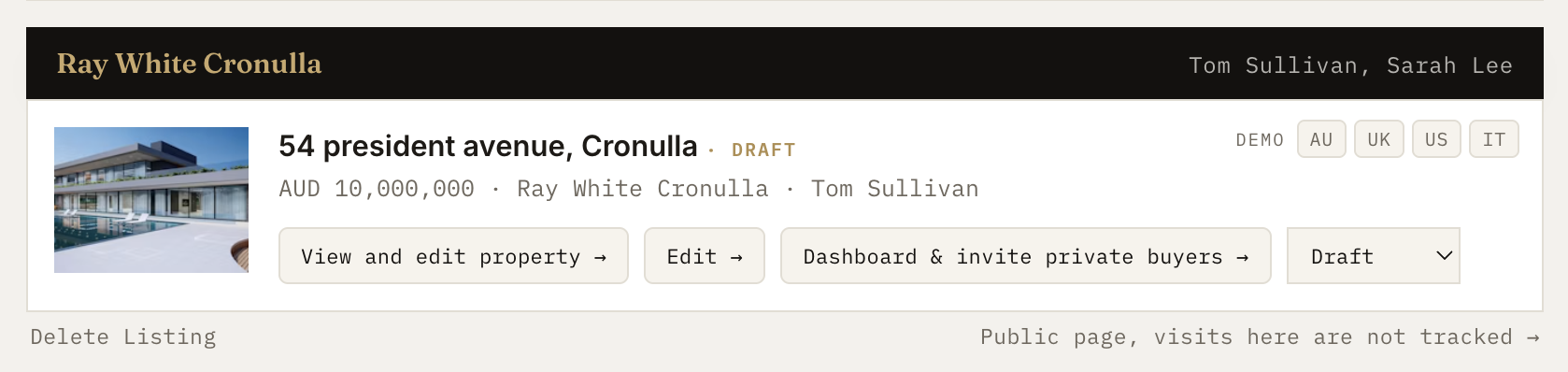
Each property appears as a card. From top to bottom, here is what each card contains:
Header bar
Your agency name on the left. The agent name or names on the right, up to two sellers can be listed on a single property.
Card body
- A thumbnail photo of the property.
- The property address in large text, with a status badge alongside it: green for Active, gold for Draft, grey for Archived.
- A metadata line with the guide price, agency name and agent name.
Action buttons
- Edit and open property, opens your live listing so you can review the full buyer experience and make content changes directly from here. Opens in a new tab.
- Dashboard and invite private buyers, opens the buyer intelligence dashboard for that listing. See who is most engaged, review each buyer's Vantag Engagement Scoring Model rating, and access personalised call scripts. The buyer invite panel is also here, this is where you invite buyers and manage who has access to the listing. Opens in a new tab.
- Status selector, switch the listing between Draft, Active and Archived. Moving a listing to Active is checked against your plan limit in real time; you cannot publish more listings than your plan allows.
- Delete listing, permanently removes the listing and all associated buyer data. You will be asked to type "delete" to confirm. This cannot be undone.
- Public page, opens an untracked version of the property that anyone can view without an invitation. Visits here carry no buyer intelligence and do not appear in the dashboard.
Listing states
- Draft, you are still building it. The listing is not published and not visible to any buyer. It does not use one of your plan slots.
- Active, published and live. Buyers who have received their unique link can access the listing. Counts as one active slot against your plan. A paid listing stays active for up to six months.
- Archived, saved but taken offline. Not visible to buyers and does not count against your plan. The right state for a property that has sold, a campaign you have paused, or a listing that has reached the end of its active period.